Staff and Permissions
Invite staff, manage pending staff invitations, understand roles, and control who can report scores.
The Staff & Permissions tab is for leagues where someone besides the main manager needs access.
Common reasons to use it:
- You have staff helping run league night.
- You have officials entering results.
- You want a second manager to help with schedule, team, or payment tasks.
- You want only staff to report scores.
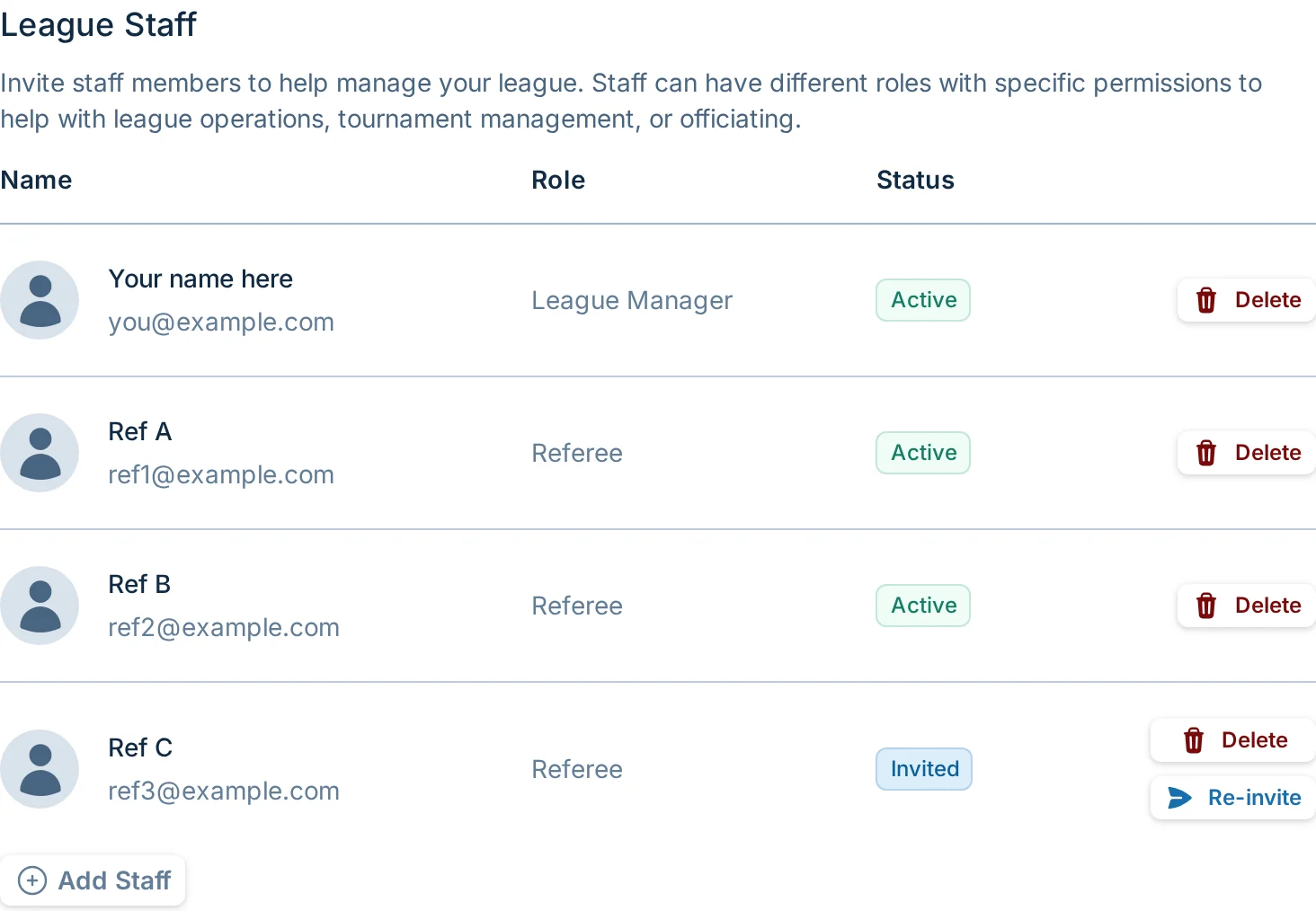
Staff List
The staff table shows active staff and pending invitations.
Active staff have already accepted the invitation. Pending invitations show as invited until the person accepts or the invitation expires.
From the staff table, managers with staff permissions can:
- Delete a pending invitation.
- Remove an active staff member.
- Re-send a pending invitation after enough time has passed.
You cannot remove yourself. You also cannot remove the last staff member from the league.
Inviting Staff
Click "Add Staff" to invite someone.
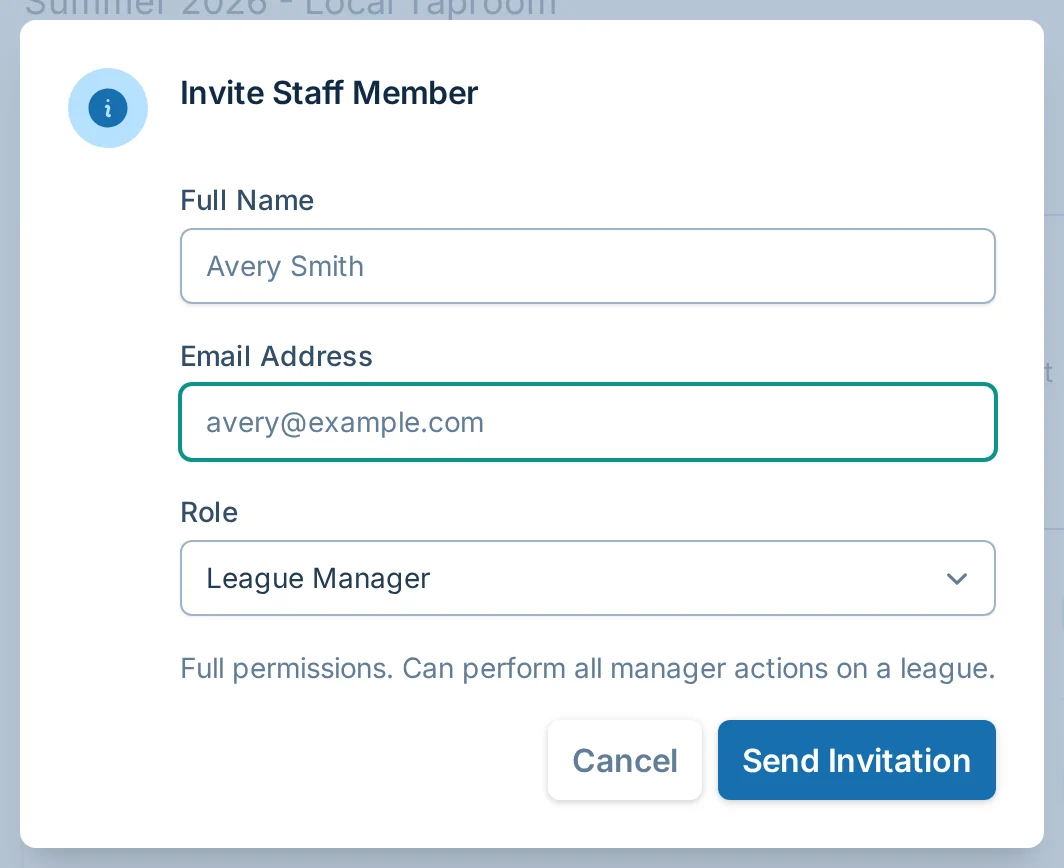
The invite form asks for:
- Full name.
- Email address.
- Role.
- Which current or upcoming leagues the person should be invited to, when you have more than one available.
The invited person receives an email with an invite link. They need a bagtoss.love account to accept the invitation. If they do not already have one, the invite page lets them sign up.
Player and captain access still does not require accounts. Staff accounts are different because staff can use manager-side tools.
Roles
When inviting staff from a league, the roles you normally see are:
| Role | What It Does |
|---|---|
| League Manager | Full permissions. Can perform manager actions on the league. |
| Referee | Restricted permissions. Can report scores and mark teams as forfeited. |
If someone only needs to enter scores, use the Referee role instead of making them a League Manager.
Score Reporting Policy
The Score Reporting Policy controls who can save scores for the league.

By default, captains and players can report scores without signing in. That is the best setting for most leagues because it keeps score entry simple.
Turn on "Staff only" when you want only managers and staff with score reporting permission to enter scores.
Staff-only score reporting is useful when:
- A staff member or official records every result.
- Scores need to be reviewed before they affect standings.
- A league has repeated score reporting issues.
For the full score reporting guide, see Score Reporting.
Common Questions
Do players need accounts if I invite staff?
No. Staff invitations are only for manager-side access. Players and captains still do not need accounts to register, view schedules, or report scores unless the league is set to staff-only score reporting.
Can I invite one person to multiple leagues?
Yes. If you have multiple current or upcoming leagues available, the invite dialog can include more than one league.
Can I change someone's role?
Not directly from the staff table today. Remove the staff member or invitation, then invite them again with the correct role.
Why is the re-invite button disabled?
Re-inviting is rate-limited so staff do not receive repeated emails too quickly. Wait a bit and try again.